 Easy Ads
What Is a Tattoo Video Maker?
A tattoo video maker helps artists and tattoo studios turn finished tattoo photos, close-ups, and short clips into polished videos for Instagram, TikTok, YouTube Shorts, and studio websites. Instead of building every edit from scratch, you can combine your best work with motion, captions, music, and a clear booking message. For U.S. tattoo artists, short-form video is a practical way to show linework, shading, healed results, and personal style before a potential client ever visits the studio. Easy Ads makes this process faster by helping you create professional tattoo videos from the visual assets you already have.
Why Tattoo Artists Need Video Content
A strong tattoo portfolio video gives potential clients a quick look at your style, technique, and finished work. Video can make black-and-gray shading, fine-line details, color saturation, and healed tattoos easier to understand than a single image. Use your videos to support real business goals: attract local searches, answer common questions, promote flash designs, announce appointment openings, and send viewers to your booking page. Keep the message specific to your studio and the clients you want to serve.
How to Make a Tattoo Video with Easy Ads
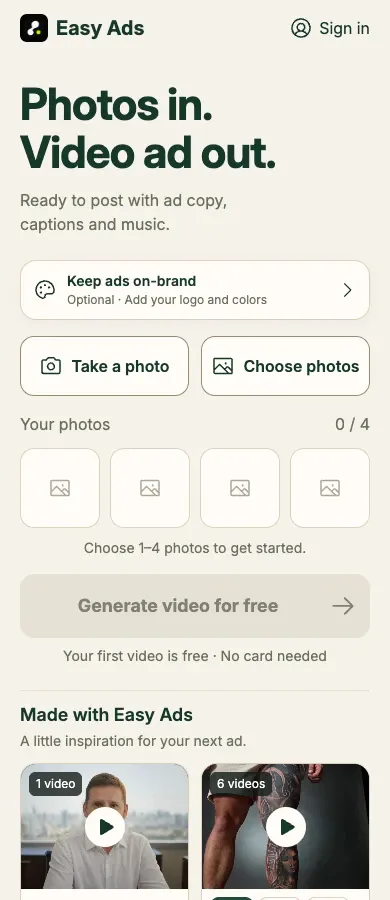
1. Choose three to six strong images of one tattoo, including a clean opening shot and close-ups of linework, shading, or color. 2. Upload your images to Easy Ads and select a visual style that matches your studio. 3. Add a short caption with the tattoo style, city, and the action you want viewers to take. 4. Review the motion carefully so the design stays accurate and the tattoo remains the focus. 5. Export the video in a vertical format for Instagram Reels, TikTok, or YouTube Shorts. A simple, consistent workflow lets you turn recent appointments, healed work, flash designs, and artist introductions into useful content without filming a full production every time.
Best Practices for Tattoo Portfolio Videos
Keep the tattoo design visible and avoid effects that change the shape, color, or placement of the artwork. Use clear lighting, consistent crops, readable captions, and music that fits your studio brand. Always get the client’s permission before posting identifiable images or videos. For local marketing, pair the video with a useful caption: name the tattoo style, mention your service area, explain whether the piece is healed or fresh, and link to your booking process. Original work, accurate details, and a clear next step build more trust than generic promotional copy.
Frequently Asked Questions About Tattoo Videos
What is the best video format for tattoo artists? Vertical video works well for Instagram Reels, TikTok, and YouTube Shorts because it fills the mobile screen. Can I make a tattoo video from photos? Yes. A tattoo video maker can add gentle motion, transitions, captions, and music to a small set of high-quality tattoo photos. How can tattoo videos help me get clients? Show the type of work you want to book, include your location or service area, and finish with a clear consultation or booking CTA. Ready to turn your tattoo portfolio into engaging video content? Use Easy Ads to create your next professional tattoo video faster.